
Why CUI Processing Keeps Endpoints in Scope
Many defense contractors assume that moving Controlled Unclassified Information (CUI) to a secure cloud platform such as Microsoft GCC High or PreVeil automatically removes employee laptops and workstations from Cybersecurity Maturity Model Certification (CMMC) assessment scope.
Although these platforms provide strong security capabilities, that assumption overlooks a central scoping principle: where CUI is processed matters just as much as where it is stored.
Cloud providers offer encrypted storage, identity controls, audit logging, and compliance-focused environments that can strengthen an organization’s cybersecurity posture. However, when a user opens, views, edits, downloads, prints, or otherwise interacts with CUI from an endpoint, that device generally processes the information and may remain within the assessment boundary.
Understanding the difference between CUI storage and processing is essential for organizations implementing National Institute of Standards and Technology Special Publication 800-171 (NIST SP 800-171) and preparing for a Level 2 assessment. Incorrectly excluding endpoints can create gaps in security coverage, documentation, and assessment evidence.
This article explains how asset scope is determined, why secure cloud storage does not eliminate endpoint responsibilities, and how a properly designed enclave, including Virtual Desktop Infrastructure (VDI), may help establish a smaller and more defensible assessment boundary.
What Determines Whether an Asset Is in Scope?
An asset’s scope classification depends on how it interacts with CUI.
Scoping decisions are not based solely on where information is permanently retained. Organizations must also identify the systems that process or transmit CUI.
An endpoint may therefore remain in scope even when it does not permanently save a CUI file. If the device displays the content, allows a user to edit it, temporarily loads it into memory, or transmits it to another system, the endpoint is interacting with protected information.
This distinction is especially important for organizations that rely on cloud-based email, document storage, and collaboration platforms. Moving files into the cloud may change where the files reside, but it does not necessarily change which systems are used to access and process the data.
What Is Controlled Unclassified Information?
CUI is government information that requires safeguarding or dissemination controls under applicable laws, regulations, or government-wide policies. It is not classified information, but it still requires protection against unauthorized access, use, disclosure, or distribution.
For Department of Defense (DoD) contractors, safeguarding this information may be required under the Defense Federal Acquisition Regulation Supplement (DFARS), NIST SP 800-171, and applicable Level 2 requirements.
Unlike a POA&M, this requirement is not limited to tracking incomplete control implementation. Instead, it focuses on an organization's ability to continuously identify security weaknesses, prioritize remediation efforts, and reduce risk across its environment.
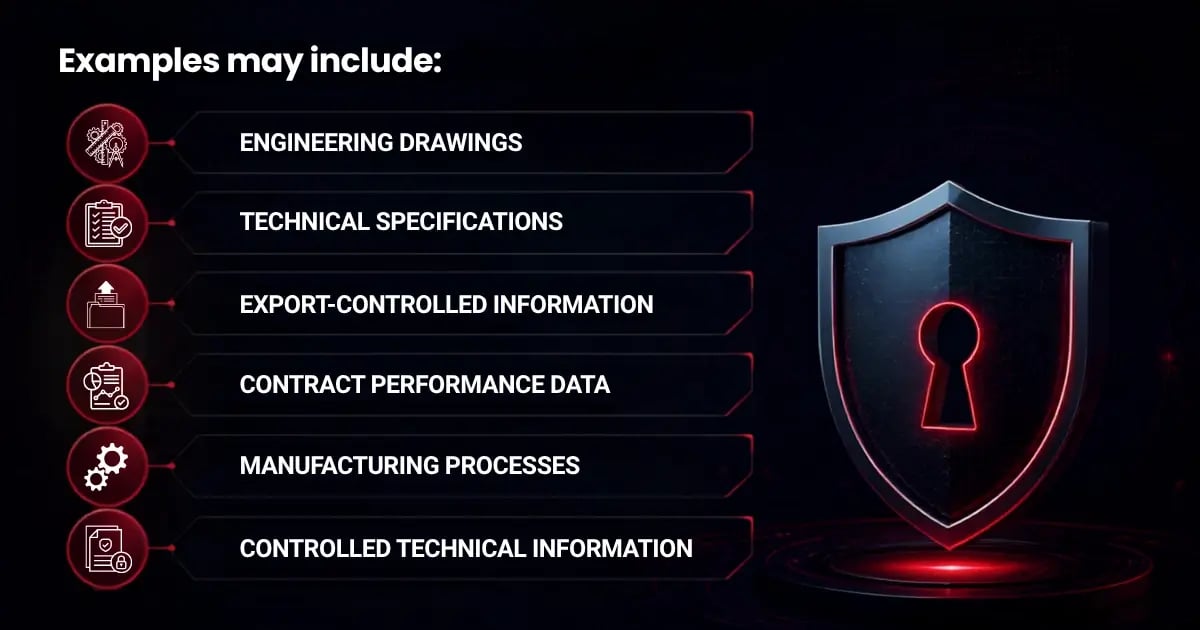
Unauthorized access to these materials can affect national security, military readiness, intellectual property, and the resilience of the Defense Industrial Base. Contractors must therefore identify the systems, devices, users, and services that interact with protected information.
What Is a CUI Asset?
A CUI Asset is a system that stores, processes, or transmits CUI.
This category may include:
 |
Servers |
 |
Cloud environments |
 |
Workstations |
 |
Laptops |
 |
Mobile devices |
 |
Applications |
 |
Network components |
 |
Virtual desktops |
 |
Administrative systems |
User endpoints are frequently included because they display or manipulate information during routine business activities.
For example, an employee may open a document stored in Microsoft GCC High, review its contents, and make edits from a company laptop. Although the document remains stored in the cloud, the laptop displays and processes the information. The endpoint therefore generally remains within scope.
The same principle can apply when a user previews an attachment, copies protected text into another application, prints a document, or captures an image of information displayed on a screen.
Storage, Processing, and Transmission Matter
A complete scoping analysis should evaluate three types of interaction.
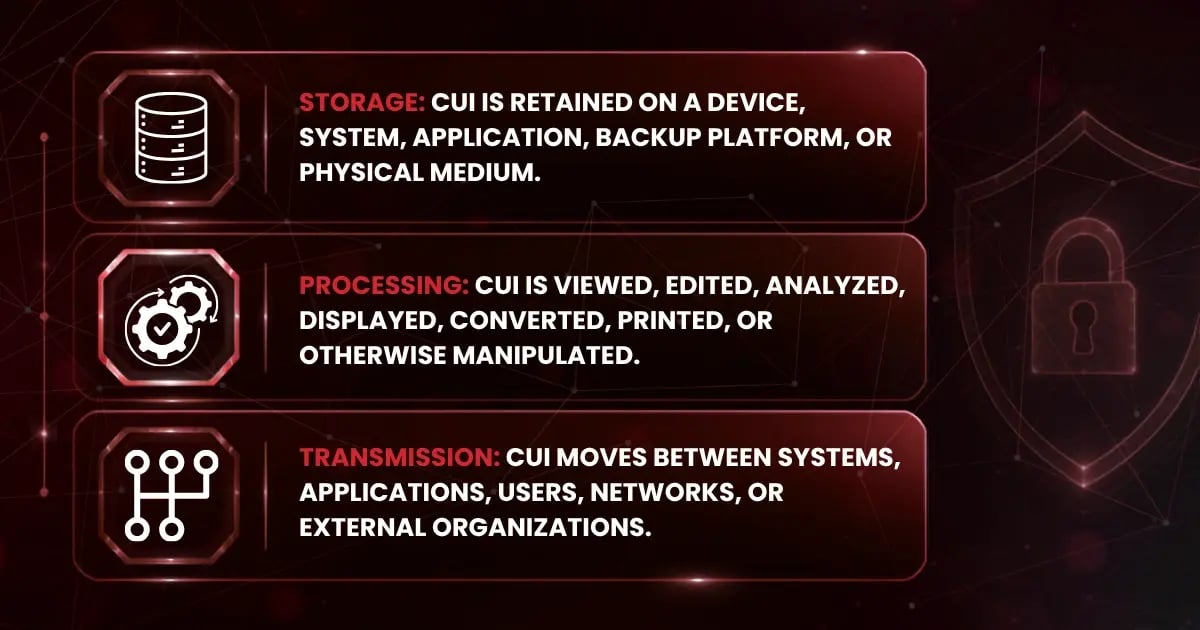
Any of these activities may bring an asset into scope.
Organizations should examine the full information lifecycle rather than focusing exclusively on permanent file storage. The analysis should address how information enters the environment, where it travels, how employees use it, and where it may be copied, cached, printed, backed up, or archived.
Understanding how CUI is stored, processed, and transmitted provides a more accurate picture of assessment scope than looking at storage alone. Organizations that evaluate the complete lifecycle of CUI are better equipped to define their environment, apply appropriate safeguards, and support their scoping decisions during a CMMC assessment.
Why Secure Cloud Storage Does Not Remove Endpoints From Scope
Microsoft GCC High, PreVeil, and similar platforms can provide valuable security capabilities, including:
 |
Encryption |
 |
Identity and access management |
 |
Audit logging |
 |
Secure collaboration |
 |
Data retention controls |
 |
Incident response coverage |
These capabilities help defense contractors protect sensitive information and meet federal security obligations. However, the platform does not automatically remove the devices used to access that information from the scope.
Cloud storage protects the location where a file resides. It does not determine every location where the file is processed.
Consider an employee who signs into Microsoft GCC High from a company-issued laptop and opens a protected document. The document may remain within the cloud platform, but the laptop still displays the content, allows the employee to read or edit it, and may temporarily load information into memory.
Because the endpoint participates in the processing activity, it generally remains a CUI asset and must receive the applicable security protections.
Moving information to a secure cloud platform can improve security, but it does not eliminate the need for endpoint controls such as:
 |
Secure configuration |
 |
Access restrictions |
 |
Malware protection |
 |
Vulnerability management |
 |
Audit logging |
 |
System monitoring |
 |
Incident response coverage |
Example Scenario
A defense contractor stores its protected technical files exclusively within Microsoft GCC High. An engineer accesses a drawing from a company laptop, reviews the design, updates several notes, and saves the changes back to the cloud.
The file is not intentionally downloaded to permanent local storage. Even so, the laptop displays and processes the drawing while the engineer works.
The laptop therefore generally remains within scope.
Secure cloud platforms strengthen the protection of CUI, but they do not eliminate endpoint responsibilities. If a device displays, edits, or otherwise processes CUI, it will generally remain within scope unless the organization has implemented technical controls that prevent local processing.
Cloud Storage vs. a True CMMC Enclave
Secure cloud storage and a properly designed enclave are different concepts.
A cloud platform can provide an approved location for storing and transmitting CUI. However, storage alone does not establish the complete boundary governing where the information may be accessed, displayed, processed, copied, or downloaded.
An enclave is a deliberately isolated environment designed to limit CUI activities to an approved set of:
 |
Users |
 |
Devices |
 |
Applications |
 |
Network components |
 |
Cloud services |
 |
Administrative systems |
 |
Security technologies |
Its purpose is to create a clear and enforceable boundary around the assets that interact with protected information.
This distinction matters because the assessment boundary is based on the full CUI environment rather than the location of the primary storage platform.
How an Enclave Can Reduce Assessment Scope
A properly implemented enclave may reduce scope by preventing CUI from reaching systems outside a controlled environment.
For example, an organization might establish a dedicated environment that includes:
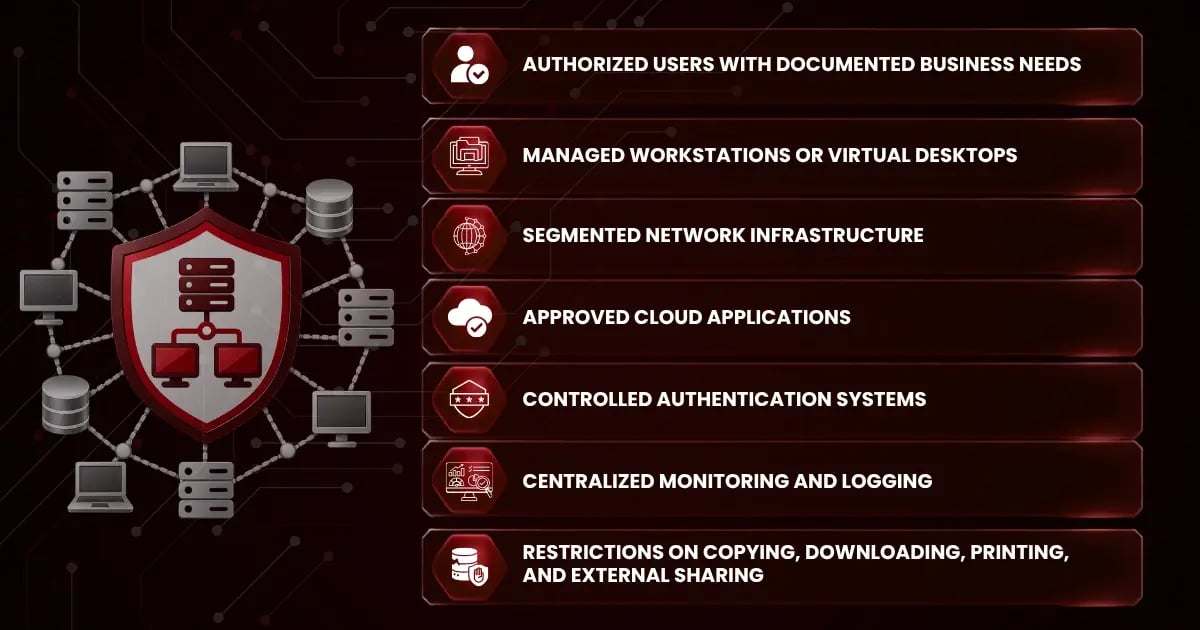
Scope reduction is defensible only when the architecture and its operational controls prevent CUI from reaching excluded systems.
Why Cloud Storage Alone Does Not Create an Enclave
An organization does not create an enclave simply by moving files into a compliant cloud platform.
Cloud storage determines where CUI is retained. The enclave controls where it can be stored, processed, and transmitted.
When employees access cloud-hosted information from ordinary company laptops, those devices may:
 |
Display content |
 |
Cache data |
 |
Download files |
 |
Print documents |
 |
Capture screenshots |
 |
Copy text |
 |
Synchronize information locally |
The organization’s email services, identity infrastructure, network equipment, administrative workstations, monitoring platforms, and security tools may also support or protect the environment.
As a result, the assessment boundary can extend well beyond the cloud application.
A defensible enclave requires technical and administrative safeguards that define and enforce its boundaries. These safeguards may include:
 |
Network segmentation |
 |
Device access restrictions |
 |
Multifactor authentication |
 |
Least-privilege permissions |
 |
Data loss prevention |
 |
Endpoint configuration standards |
 |
Monitoring and audit logging |
 |
Removable-media restrictions |
 |
Controlled printing |
 |
Clipboard restrictions |
 |
Documented handling procedures |
The Boundary Must Work in Practice
An enclave cannot exist solely in documentation. Its technical and administrative controls must function during normal business operations.
Organizations should verify what users and administrators can actually do.
Can users download documents to unmanaged devices? Can they paste protected text into commercial email? Can they print through an unprotected office printer? Can files synchronize to local folders? Can administrators access the environment from systems that do not meet the required safeguards?
A “yes” answer may indicate that the boundary is broader than the organization’s diagrams suggest.
Effective scoping requires contractors to trace information movement and identify every system that directly interacts with or provides security protection for the environment.
A secure cloud platform can be an important component of a CMMC enclave, but it does not create the enclave on its own. Reducing assessment scope requires architecture that consistently limits where CUI is stored, processed, and transmitted through enforceable technical and administrative controls.
The Primary Exception: Properly Implemented Virtual Desktop Infrastructure
VDI can support an architecture that reduces the number of physical endpoints classified as CUI Assets. This benefit depends on how the environment is designed, configured, monitored, and maintained.
A virtual desktop allows users to connect to a centrally hosted computing environment instead of running applications and storing files directly on their physical devices.
In a properly implemented VDI enclave, applications run within the protected environment, and files remain within approved cloud or data-center resources. The physical endpoint functions primarily as an access terminal.
This approach may help separate the endpoint from local processing, provided technical controls to prevent protected information from leaving the VDI enclave.
How VDI Can Keep CUI Inside the Protected Environment
In a well-designed architecture, users connect to a remote session hosted within the enclave. Applications are executed on the virtual desktop, and the underlying files remain within approved systems.
The user’s physical device receives a visual representation of the remote session rather than a locally stored copy of the file.
Proper configuration may restrict:
|
File downloads |
 |
Local drive mapping |
 |
Clipboard synchronization |
 |
Screen capture |
|
Local printing |
|
Removable media |
 |
Session redirection |
 |
Local caching |
 |
Unauthorized file synchronization |
When CUI remains inside the enclave and the physical device does not independently store, process, or transmit the underlying data, the organization may have a stronger basis for placing that endpoint outside the CUI Asset boundary.
The final classification still depends on architecture and the role the endpoint plays in accessing or protecting the environment. Contractors should evaluate the full system rather than assume that every device connected to a virtual desktop is automatically excluded.
Remote Desktop Software Does Not Automatically Create an Enclave
The use of remote-access software does not establish a protected boundary.
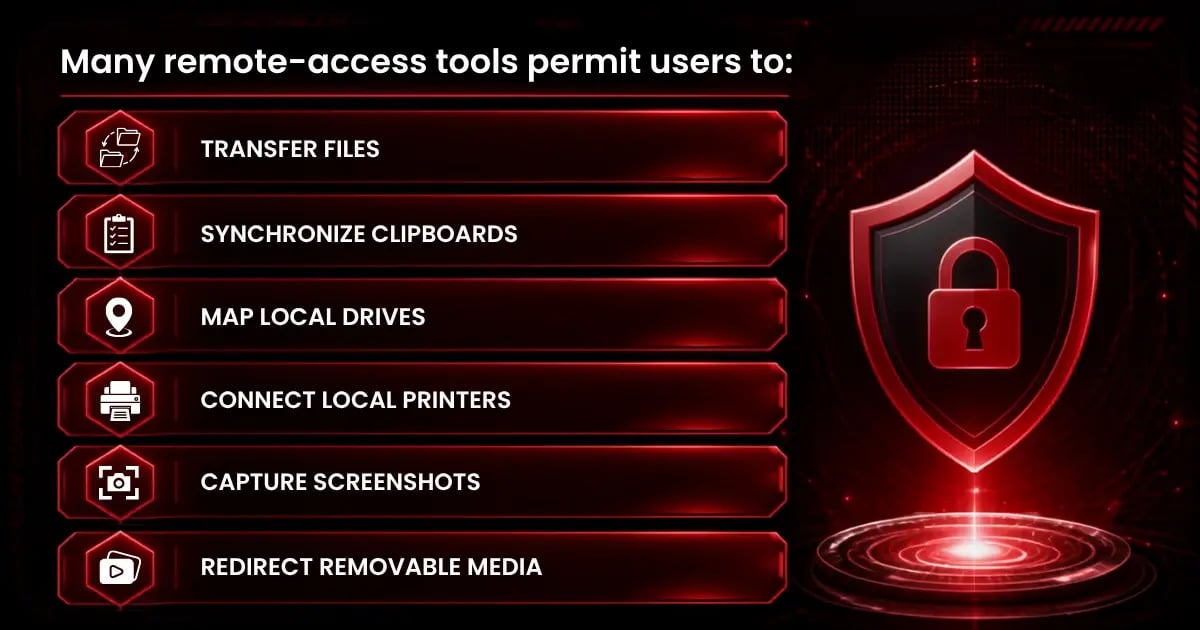
For example, an engineer may open a technical drawing through a remote session. If the engineer can copy text into a local document, download the drawing, print it locally, or save a screenshot, the physical device may still interact with protected information.
The organization must demonstrate that its architecture prevents unauthorized storage, processing, or transmission outside the enclave.
Common VDI Implementation Mistakes
Several configuration and operational errors can undermine the intended scoping benefit.
Allowing Local Downloads
When users can download files from the virtual environment to physical devices, those devices may become CUI Assets.
Download restrictions should be enforced through technical configuration rather than policy alone.
Enabling Clipboard Redirection
Clipboard synchronization can allow users to copy protected text into local applications.
Even a small excerpt may retain its protected status and create additional handling requirements.
Permitting Local Printing
Local printing can expand the environment to include printers, print servers, physical storage areas, and document-handling procedures.
Organizations should control where protected documents can be printed, and how printed materials are stored, transported, and destroyed.
Allowing Local Drive or Removable-Media Redirection
Mapped drives and removable media can provide direct paths for information to leave the enclave.
These functions should be disabled unless they support an approved business purpose and are protected through appropriate controls.
Using Unmanaged Access Devices
Allowing access from unmanaged personal devices can introduce risks related to:
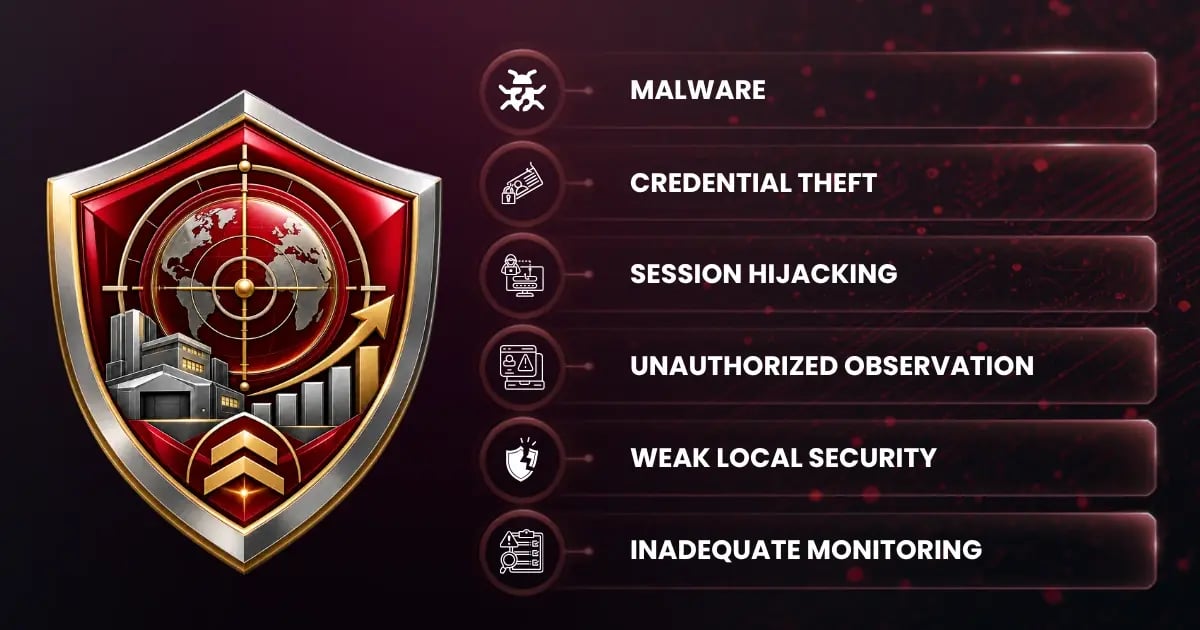
Even when data transfer is restricted, the organization should determine whether unmanaged access aligns with its security architecture.
Failing to Control Administrative Access
Virtual desktop servers, hypervisors, management consoles, identity platforms, logging systems, and administrative workstations may provide security protection for the environment.
These systems should be included in the scoping analysis where appropriate.
Relying on Policy Without Technical Enforcement
A policy may prohibit downloading, copying, or printing. However, policy language does not create a technical boundary.
Where practical, system configurations should prevent restricted actions and generate logs demonstrating that the controls operate as intended.
VDI Still Requires Strong Security Controls
A virtual desktop enclave does not eliminate the need to implement NIST SP 800-171. Instead, it concentrates on many requirements within a more controlled environment.
The organization must still address areas such as:
|
Access control
|
|
Identification and authentication
|
 |
Configuration management
|
 |
Audit and accountability
|
|
Incident response
|
|
System and communications protection
|
|
Media protection
|
 |
Risk assessment
|
|
Security assessment
|
 |
System and information integrity
|
The organization should document how architecture prevents CUI from reaching excluded endpoints. Supporting evidence may include:
 |
Configuration records |
 |
Architecture diagrams |
 |
Information-flow diagrams |
 |
Access rules |
 |
Asset inventories |
 |
Test results |
 |
Monitoring records |
 |
Written procedures |
A properly implemented Virtual Desktop Infrastructure can support scope reduction, but only when technical controls keep CUI inside the protected environment. Organizations should validate these controls regularly and ensure that documented scoping decisions reflect how the environment operates.
What This Means for Defense Contractors
Accurately defining scope is more than a documentation exercise. Scoping decisions determine which systems, devices, users, applications, service providers, and supporting technologies must meet applicable security requirements.
Incorrectly excluding endpoints may create gaps in:
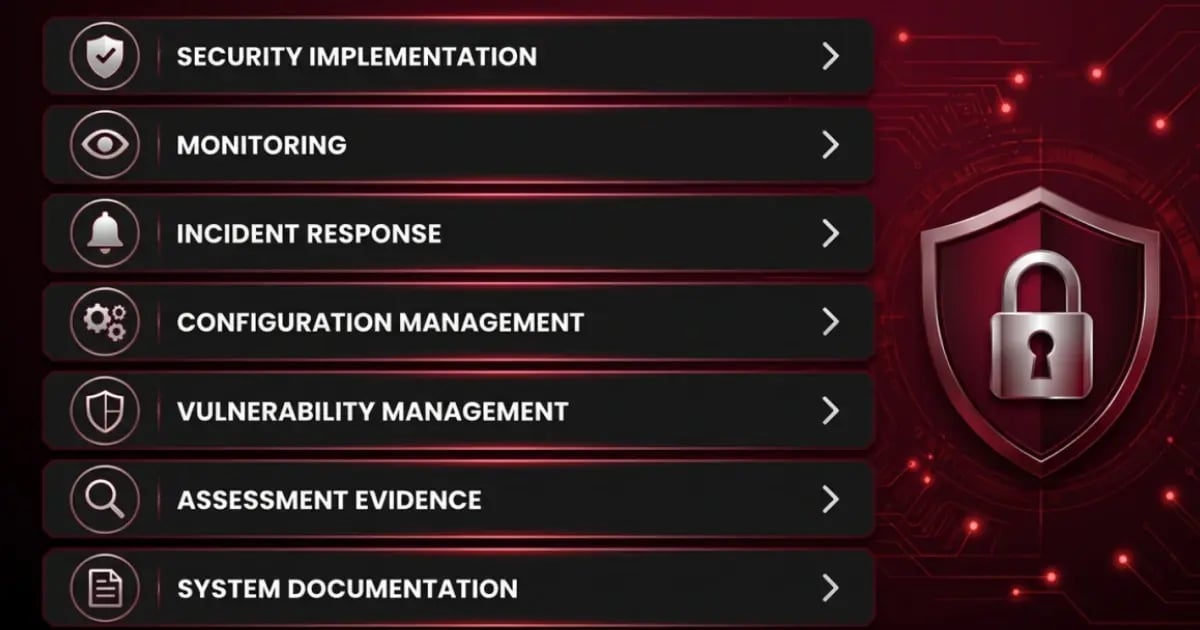
The central question is broader than, “Where do we store CUI?”
Organizations must determine where the information is stored, processed, transmitted, and protected throughout its lifecycle.
Start With the Actual CUI Data Flow
Defense contractors should trace how protected information enters, moves through, and leaves the organization.
CUI may be:
 |
Received through an approved email system |
 |
Uploaded to a secure cloud platform |
 |
Viewed from an employee workstation |
 |
Edited through a local or hosted application |
 |
Shared with an authorized subcontractor |
 |
Printed for use on a manufacturing floor |
 |
Archived in a document-management system |
 |
Backed up by an internal or third-party service |
Each interaction may introduce additional users, systems, technologies, service providers, or facilities into scope.
Although a cloud platform may protect the primary file, the broader information flow can involve:
 |
Endpoints |
 |
Identity systems |
 |
Network infrastructure |
 |
Security tools |
 |
Printers |
 |
Backup platforms |
 |
Administrative workstations |
 |
External service providers |
These components should be evaluated when defining the assessment boundary.
Questions to Ask When Defining Scope
A defensible scoping process should examine the intended architecture and the way employees perform their work in practice.
Organizations should ask:
 |
Where does CUI enter the organization? |
 |
Where is it stored? |
|
Which systems display or process it? |
|
How is it transmitted internally and externally? |
 |
Can users download it to local devices? |
 |
Can users paste it into applications outside the enclave? |
 |
Can users print it through systems outside the protected environment? |
 |
Can it be copied to removable media? |
 |
Which systems provide identity, logging, monitoring, or other security functions? |
 |
Which administrators and administrative workstations can access the environment? |
 |
Which external providers store, process, transmit, or protect the information? |
The answers should reflect actual technical capabilities rather than policies or intended behavior.
For example, a policy may prohibit local downloads. If the platform still allows users to download files, the architecture does not enforce the stated boundary. That difference can materially affect scope.
The Risk of Incorrectly Excluding Endpoints
Excluding endpoints without a sound technical basis can create significant security and assessment risk.
A contractor may believe that employee laptops are outside scope because files are stored in Microsoft GCC High, PreVeil, or another secure platform. However, when employees use those laptops to open, display, edit, download, print, or capture CUI, the devices are interacting with the information.
Treating those endpoints as excluded may leave them without appropriate:
 |
Configuration controls |
 |
Monitoring |
 |
Access restrictions |
 |
Vulnerability management |
 |
Malware protection Incident response coverage |
Incorrect scoping can also affect the accuracy of:
 |
Asset inventories |
 |
Network diagrams |
 |
System Security Plans |
 |
Policies and procedures |
 |
Risk assessments |
 |
Security assessments |
 |
Plans of Action and Milestones |
 |
Level 2 self-assessment results |
 |
Evidence prepared for third-party review |
A smaller scope may appear easier to manage, but unsupported exclusions do not remove the underlying cybersecurity risk.
Document the Architecture and Scoping Rationale
Organizations should document which assets are included, which are excluded, and why each classification is appropriate.
Useful documentation may include:
|
Information-flow diagrams |
|
Network architecture diagrams |
|
Asset inventories |
 |
Enclave boundary descriptions |
 |
Cloud-provider responsibilities |
 |
Virtual desktop configuration standards |
|
Access-control rules |
 |
Data loss prevention settings |
 |
Printing restrictions |
 |
Removable-media controls |
 |
External provider relationships |
 |
Written scoping assumptions |
Documentation should match actual system configurations and user workflows.
For example, when an organization states that users cannot download files from a virtual desktop, technical testing should verify that the restriction operates as described.
Scoping documentation should also be reviewed when the organization introduces:
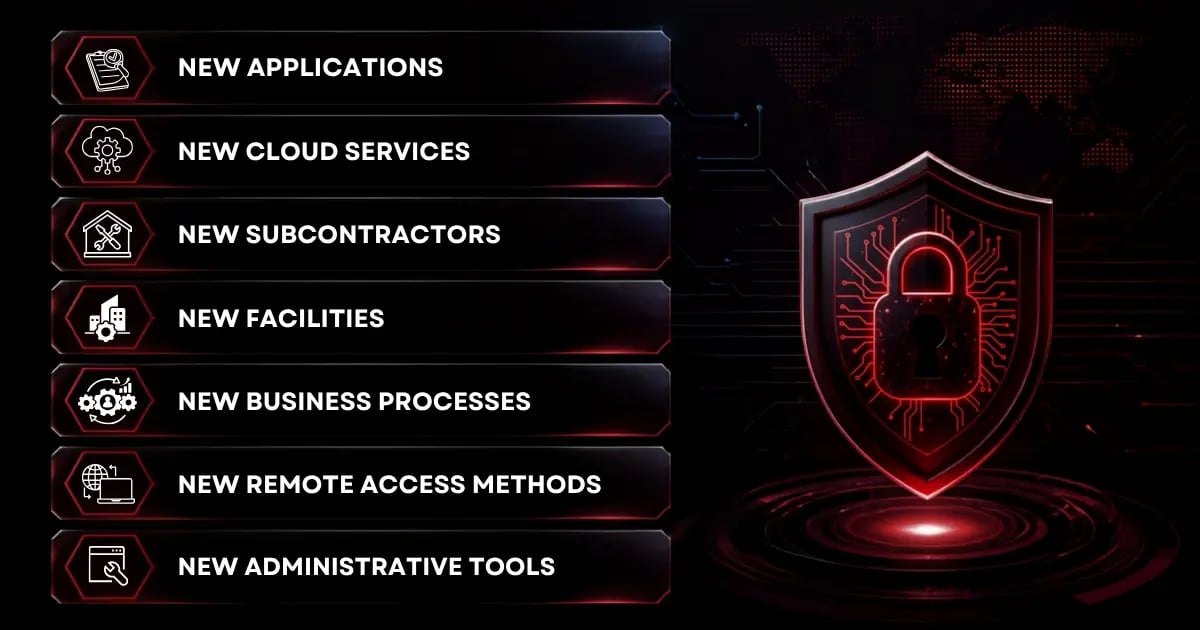
Scope can change as the environment and business workflows evolve.
Validate Scoping Decisions Before an Assessment
Defense contractors should validate their scoping decisions before conducting a Level 2 self-assessment or preparing for a certification assessment.
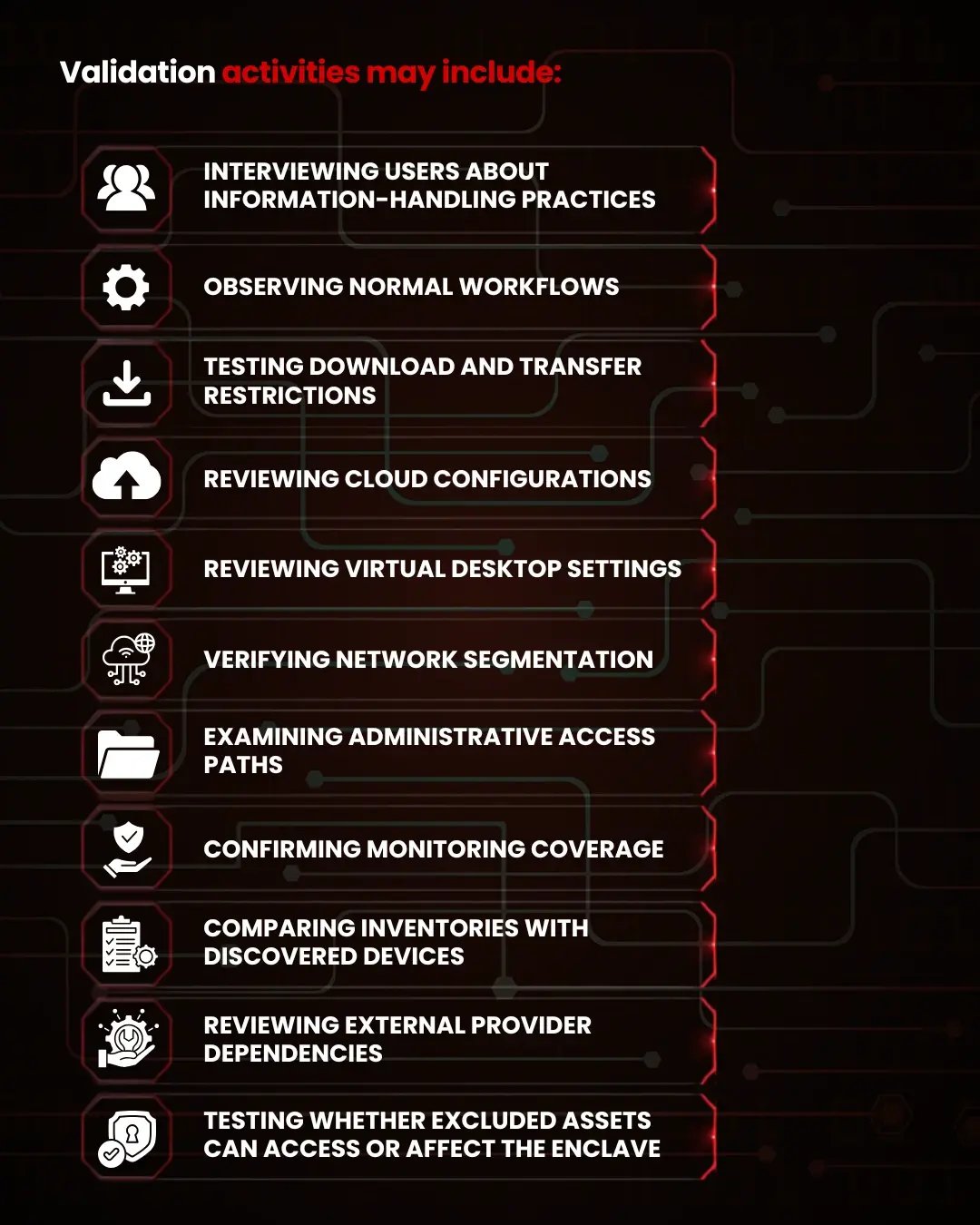
This process can reveal differences between the intended architecture and actual system behavior.
A contractor may discover that users can synchronize files to local folders even though its documentation states that information remains in the cloud. Another organization may find that local printers, administrative laptops, or identity systems were omitted from the initial analysis.
Finding these issues before an assessment allows the organization to correct the architecture, expand safeguards, or revise its documentation.
CMMC Scoping Checklist for Defense Contractors
Use the following questions as a starting point when evaluating cloud storage, endpoint activity, and enclave design.
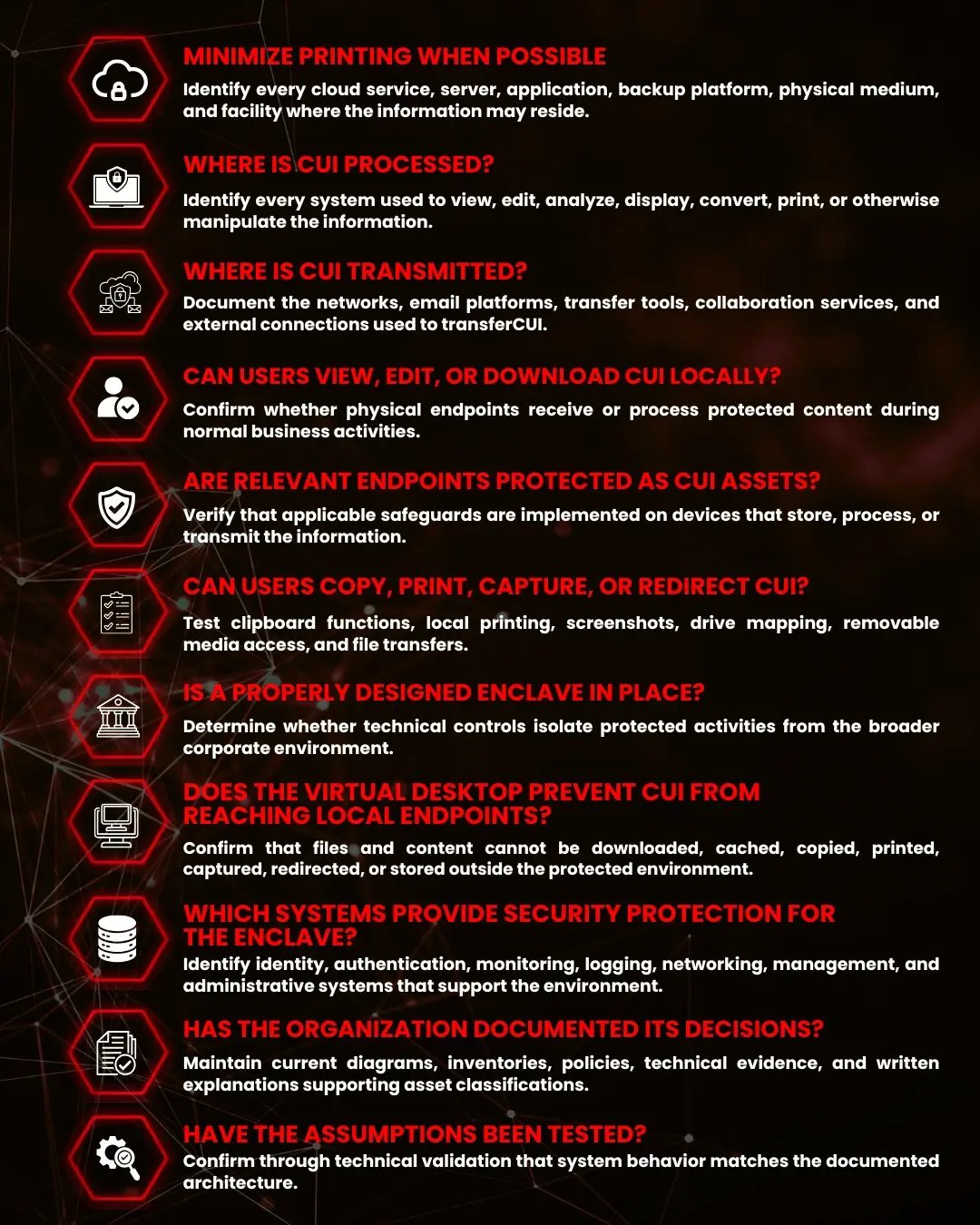
Completing this review helps organizations confirm that their assessment boundary reflects actual CUI data flows rather than assumptions. Regularly validating architecture, documentation, and technical controls support stronger security and better preparation for a CMMC assessment.
Focus on Where CUI Is Processed, Not Just Where It Is Stored
Secure cloud platforms are an important part of a strong cybersecurity strategy. Microsoft GCC High, PreVeil, and similar solutions can improve encryption, access control, collaboration, auditing, and administrative oversight.
However, cloud storage alone does not remove endpoints from the scope.
When a user opens, views, edits, downloads, prints, captures, or otherwise interacts with CUI from a laptop or workstation, the endpoint generally processes that information. It may therefore be a CUI Asset subject to applicable security requirements.
Organizations seeking to reduce scope should focus on creating an enforceable security boundary rather than simply relocating files.
A properly designed enclave can limit protected activities to an approved group of users, systems, applications, and network components. A virtual desktop may support this objective when it prevents information from leaving the protected environment.
The distinction is straightforward:
Cloud storage determines where CUI resides. Effective scoping accounts for every location where it is stored, processed, transmitted, or protected.
Defense contractors should document their information flows, evaluate actual user behavior, test technical restrictions, and validate asset classifications before relying on a reduced assessment boundary.
Accurate scoping supports assessment readiness while helping organizations direct cybersecurity resources to the systems that need them most. It also reduces opportunities for unauthorized disclosure and supports a sustainable security program based on real operational conditions.
Strengthen Your CUI Environment With MAD Security
MAD Security helps defense contractors address the technical and operational challenges of protecting sensitive information and preparing for assessment.
Our cybersecurity and compliance professionals help organizations:
 |
Identify and document CUI data flows
|
 |
Validate scoping decisions
|
 |
Evaluate cloud and endpoint security
|
|
Design secure enclave environments
|
 |
Assess virtual desktop architecture and configuration
|
|
Implement NIST SP 800-171 requirements
|
|
Develop System Security Plans and supporting documentation
|
|
Identify security gaps before an assessment
|
|
Build sustainable cybersecurity and compliance programs
|
Where can the information actually go?
MAD Security can help you answer that question, establish a defensible assessment boundary, and strengthen the systems that protect sensitive defense information.
Contact MAD Security to validate your environment, evaluate your enclave architecture, and build a stronger cybersecurity and compliance posture.
Frequently Asked Questions (FAQs)


