
Why End-of-Life Assets Matter for CMMC Compliance
Not every piece of technology in your organization will remain supported forever. Servers age, operating systems reach the end of their support periods, and manufacturers eventually stop releasing security updates for hardware and software. For Department of Defense (DoD) contractors, these outdated assets can introduce security risks that affect both operations and compliance.
Organizations preparing for Cybersecurity Maturity Model Certification (CMMC) assessments often wonder whether unsupported technology will automatically result in assessment failure.
The answer is not necessarily.
The presence of an end-of-life (EOL) asset does not automatically mean your organization is noncompliant. However, you must understand where that asset operates, what risks it introduces, and whether your existing security measures satisfy applicable requirements.
Under NIST SP 800-171 and CMMC, effective asset management involves more than maintaining current technology. It requires accurate documentation, appropriate safeguards, and a clear strategy for managing risks throughout an asset lifecycle.
This guide explains how to identify, document, and manage end-of-life assets while strengthening your cybersecurity posture and supporting ongoing CMMC compliance.
What Is an End-of-Life (EOL) Asset?
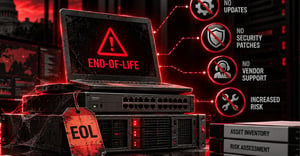 An end-of-life asset is hardware, software, an operating system, or a network device that has reached a defined stage in its manufacturer's product lifecycle. Depending on the vendor, this may mean the product is no longer sold, maintained, or supported.
Two terms are particularly important when evaluating aging technology.
Understanding End-of-Life vs. End-of-Support
End-of-Life (EOL): The manufacturer has designated a product as reaching the end of its commercial or operational lifecycle. Some products may continue receiving limited support after this designation.
End-of-Support (EOS): The manufacturer has discontinued technical support, security patches, or other maintenance services for the product.
These distinctions matter because an older product is not necessarily insecure simply because of its age. However, once security support ends, organizations may have fewer options for correcting newly discovered vulnerabilities.
Common Examples of End-of-Life Assets
Unsupported technology can exist throughout an organization's IT environment, including:
|
|
HardwareAging servers, workstations, laptops, and storage devices. |
 |
SoftwareLegacy business applications and discontinued software versions. |
|
Operating SystemsWindows, Linux, and other operating systems that no longer receive regular security updates. |
|
Network DevicesFirewalls, switches, routers, and wireless access points running unsupported firmware. |
For organizations handling Controlled Unclassified Information (CUI), identifying these assets is especially important because their security weaknesses may affect systems within the CMMC assessment scope.
Why End-of-Life Assets Create Cybersecurity and Compliance Risks
Unsupported technology can introduce vulnerabilities that become increasingly difficult to manage over time.
When a manufacturer stops providing security updates, newly discovered weaknesses may remain unresolved. Attackers can exploit these vulnerabilities to gain unauthorized access, disrupt operations, or compromise sensitive information.
Security Risks Associated with Unsupported Technology
Common risks include:
|
|
Unpatched vulnerabilitiesSecurity flaws may remain exploitable because vendor fixes are unavailable. |
|
Increased exposure to cyberattacksAttackers may target known vulnerabilities in unsupported systems. |
|
Compatibility limitationsOlder technology may not support modern security tools or protective features. |
|
Limited incident response supportManufacturers may no longer provide technical assistance when security incidents occur. |
|
Operational disruptionsAging systems may experience failures that affect business continuity. |
These concerns become more significant when unsupported assets are connected to critical business systems or environments containing CUI.
How EOL Assets Can Affect CUI Protection
Consider an outdated server supporting a legacy manufacturing application.
Although the server may not directly store CUI, it could share network connections with systems that do. If attackers compromise the outdated server, they may attempt to use that access to reach other systems.
This creates a potential security concern even when the asset itself is not directly involved in processing sensitive information.
For this reason, organizations must evaluate how unsupported technology interacts with the broader environment rather than considering each asset in isolation.
The key consideration is not simply whether an asset is old. It is whether the organization can identify its risks and maintain the protections required for the systems and information involved.
Does Having an End-of-Life Asset Mean You Will Fail a CMMC Assessment?
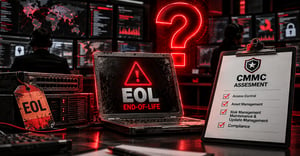 One common misconception is that every unsupported asset must be replaced before an organization can successfully complete a CMMC assessment. NIST SP 800-171 does not establish a universal rule requiring organizations to replace every asset immediately upon reaching end-of-life status. However, that does not mean unsupported systems can remain in use without adequate security protection.
What CMMC Assessors Actually Evaluate
CMMC assessors evaluate whether organizations have implemented the applicable security requirements and can demonstrate that those requirements are satisfied.
An unsupported asset may become a compliance concern when its limitations prevent the organization from implementing or maintaining required security controls.
For example, if an outdated operating system cannot receive necessary security updates, the organization must determine how that limitation affects its ability to address system flaws and vulnerabilities.
Simply recording the risk or obtaining management approval does not automatically resolve an unmet CMMC requirement.
Assessors may review asset inventories, system configurations, vulnerability management records, risk assessments, and other evidence to determine whether the organization's security practices align with applicable assessment objectives.
Relevant NIST SP 800-171 Security Requirements
Several NIST SP 800-171 control families are relevant to managing outdated technology.
Configuration Management (3.4)
Organizations must maintain appropriate system inventories, establish configurations, and manage changes to their information systems. Accurate asset records help identify unsupported technology and understand where it operates.
Risk Assessment (3.11)
Risk assessment activities help organizations identify vulnerabilities, evaluate potential impacts, and prioritize appropriate responses.
System and Information Integrity (3.14)
Requirements related to system flaw remediation, malicious code protection, and security monitoring are particularly relevant when assets no longer receive manufacturer security updates.
Access Control (3.1)
Restricting access to unsupported systems can reduce unnecessary exposure and limit opportunities for unauthorized activity.
System and Communications Protection (3.13)
Network boundaries, segmentation, and communication protections can help limit the exposure of vulnerable assets.
These control families provide a useful framework for evaluating end-of-life technology. Organizations should reference the specific NIST SP 800-171 revision and CMMC assessment objectives applicable to their assessment.
How to Document End-of-Life Assets: A Step-by-Step Process
Effective end-of-life asset documentation begins with understanding what technology exists, how it supports business operations, and what risks it introduces.
The following process can help organizations establish consistent documentation practices.
Step 1: Maintain a Complete and Accurate Asset Inventory
Start by identifying the hardware, software, operating systems, and network devices operating within your environment.
An accurate asset inventory should include:
- Asset name and unique identifier
- Hardware or software type
- Manufacturer, model, and version
- Physical or logical location
- Assigned system or business owner
- Business purpose and operational dependencies
- CUI relevance and applicable system scope
- Current support and lifecycle status
This inventory provides the foundation for identifying assets approaching end-of-support dates and determining which systems require additional attention.
Organizations should also consider how assets interact with systems that process, store, or transmit CUI.
Step 2: Identify Manufacturer Support and EOL Dates
Once assets are inventoried, verify their lifecycle status using official manufacturer's documentation.
Record relevant information, including:
- The manufacturer announced end-of-life dates
- End-of-security support dates
- Available extended support options
- Current firmware or software versions
- Links to vendor lifecycle documentation
- Does the asset contain known vulnerabilities?
- Can it access systems containing CUI?
- Is it accessible from the internet or other untrusted networks?
- What would happen if the assets were compromised?
- Are security patches or alternative vendor protections available?
- What safeguards are currently protecting the assets?
- Network segmentation to separate unsupported systems from sensitive environments
- Firewall rules restrict unnecessary communication
- Limited administrative privileges and user access
- Enhanced logging and security monitoring
- Application allow listing where technically feasible
- Disabling unnecessary ports, services, and functionality
- Removing direct internet connectivity when it is not required
- The intended replacement or remediation approach
- The individual responsible for implementation
- Required resources and dependencies
- Target completion dates
- Interim safeguards
- Progress updates and approval records
Classify assets according to their support status.
For example, an organization might use categories such as Supported, Approaching End-of-Support, and Unsupported.
This classification helps IT and security teams prioritize reviews and develop replacement plans before support expires.
Step 3: Document the Business Justification for Continued Use
Some organizations cannot immediately replace unsupported technology.
A legacy application may require an older operating system, or a specialized manufacturing device may depend on hardware that is difficult to replace without interrupting production.
When continued use is necessary, document the business justification.
The record should explain why the asset remains operational, what prevents immediate replacement, and who is responsible for the decision.
It should also identify the individual authorized to review and accept residual business risk.
However, business necessity and risk acceptance do not independently establish CMMC compliance. The organization must still demonstrate that applicable security requirements are satisfied.
Step 4: Assess and Document Security Risks
Every unsupported asset should undergo a risk of evaluation appropriate to its function, exposure, and importance.
Consider questions such as:
- Does the asset contain known vulnerabilities?
- Can it access systems containing CUI?
- Is it accessible from the internet or other untrusted networks?
- What would happen if the assets were compromised?
- Are security patches or alternative vendor protections available?
- What safeguards are currently protecting the assets?
Document the findings in a risk register or comparable risk management record.
Include the identified vulnerabilities, potential consequences, existing safeguards, risk owners, and planned response.
This documentation supports informed decisions about whether the asset should remain operational, receive additional protections, or be prioritized for replacement.
Step 5: Document Risk Mitigation Measures
When an unsupported asset must remain in use, organizations should evaluate safeguards that reduce exposure and limit potential consequences.
Depending on the system, these may include:
- Network segmentation to separate unsupported systems from sensitive environments
- Firewall rules restrict unnecessary communication
- Limited administrative privileges and user access
- Enhanced logging and security monitoring
- Application allow listing where technically feasible
- Disabling unnecessary ports, services, and functionality
- Removing direct internet connectivity when it is not required
Each safeguard should be documented with its purpose, implementation status, and responsible owner.
Organizations should also record any limitations or remaining risks.
These protections can reduce exposure, but they should not be assumed to satisfy a specific CMMC assessment objective without evaluating that objective's requirements.
Step 6: Establish a Replacement or Remediation Plan
Risk mitigation is often a temporary measure while an organization prepares to upgrade, migrate, or retire from unsupported technology.
A documented replacement plan should identify:
- The intended replacement or remediation approach
- The individual responsible for implementation
- Required resources and dependencies
- Target completion dates
- Interim safeguards
- Progress updates and approval records
Where applicable, remediation activities should be coordinated with the organization's formal Plans of Action and Milestones (POA&Ms).
Keep in mind that CMMC has specific rules governing when POA&Ms are permitted. An internal remediation plan does not automatically make an unmet requirement acceptable during an assessment.
Step 7: Review and Update Documentation Regularly
End-of-life asset documentation should not remain unchanged after the initial review.
New vulnerabilities, business changes, or vendor announcements may affect the risk associated with an unsupported system.
Organizations should establish periodic reviews and update records when significant changes occur.
These reviews help confirm that safeguards remain effective; replacement milestones are progressing, and asset inventories accurately reflect the environment.
What Information Should Be Included in an EOL Asset Register?
 An end-of-life asset register provides a centralized record of unsupported technology and the actions taken to manage it.
Organizations can incorporate these fields into an existing configuration management database, asset inventory, or risk management platform.
Example: End-of-Life Asset Documentation Register
Documentation Field |
Example Entry |
| Asset Name / ID | Legacy Production Server / SRV-014 |
| Asset Type | Windows Server |
| System Owner | IT Operations |
| Business Function | Supports legacy manufacturing application |
| Manufacturer Support Status | End-of-support confirmed |
| CUI Relevance | Connected to an in-scope environment |
| Identified Risk | Unsupported software vulnerabilities |
| Business Justification | Required for existing application compatibility |
| Mitigation Measures | Network isolation, restricted access, enhanced monitoring |
| Risk Owner | IT Director |
| Replacement Strategy | Migrate application and retire legacy server |
| Target Completion | Q2 2027 |
| Next Review | Quarterly review |
Note: This is an illustrative example, not a record of an actual MAD Security client environment.
Supporting documentation may include manufacturer support notices, vulnerability assessments, configuration records, network diagrams, monitoring evidence, and replacement approvals.
An EOL register helps demonstrate that asset lifecycle risks are being tracked and addressed. However, it does not replace the technical evidence required to demonstrate implementation of applicable CMMC security controls.
How to Secure EOL Assets That Cannot Be Replaced Immediately
Replacing unsupported technology is often the preferred long-term solution, but immediate replacement may not always be operationally feasible
When continued use is necessary, organizations should prioritize reducing the assets exposure and limiting its potential impact.
Reduce Exposure Through Network Isolation and Segmentation
Network segmentation can help prevent an unsupported system from communicating freely with other devices.
For example, an outdated manufacturing workstation may only need access to a specific production application.
Restricting unnecessary connections can reduce opportunities for attackers to move between systems if the workstation is compromised.
Organizations should verify that segmentation rules are properly configured and periodically tested.
Strengthen Access Restrictions and Security Monitoring
Unsupported assets should have access limited to authorized personnel and essential functions.
Additional monitoring can help security teams identify unusual activity, unauthorized access attempts, or potential exploitation.
Where compatible, organizations may use endpoint security technologies, centralized logging, and continuous security monitoring to improve visibility.
However, monitoring does not eliminate the underlying vulnerabilities associated with unsupported technology.
Document the Limitations of Temporary Safeguards
Temporary protections should have a clearly documented purpose and review schedule.
Organizations should identify which risks remain unresolved and establish conditions that would trigger immediate remediation or removal.
For example, discovery of an actively exploited vulnerability may require reassessing whether the asset can safely remain operational.
This approach helps prevent temporary exceptions from becoming indefinite security weaknesses.
Building an EOL Asset Lifecycle Management Process
 Organizations can reduce future compliance challenges by addressing technology lifecycle management before assets become unsupported.
A proactive process makes it easier to anticipate replacement needs, allocate resources, and maintain consistent security practices.
Move From Reactive Replacement to Proactive Planning
Establish a formal lifecycle management process that identifies how assets are acquired, maintained, reviewed, upgraded, and retired.
This process should define responsibility for monitoring manufacturer support dates and communicating upcoming lifecycle changes.
Organizations should also incorporate technology refresh planning into IT budgets and operational planning.
Prioritizing critical systems before support expires can reduce the need for emergency replacements and prolonged reliance on unsupported technology.
Integrate Lifecycle Management into Continuous Compliance
Asset lifecycle management should work alongside vulnerability management, risk assessments, configuration management, and ongoing security monitoring.
When these activities are coordinated, organizations gain a clearer understanding of how technology changes affect their security environment.
This is especially important for defense contractors maintaining NIST SP 800-171 and CMMC requirements over time.
Effective lifecycle management is not simply about replacing old equipment. It is ensuring that technology risks are identified, documented, reviewed, and addressed before they become larger security or compliance problems.
How MAD Security Helps Organizations Manage Cybersecurity and CMMC Compliance Risks
Managing end-of-life technology requires coordination between IT operations, cybersecurity teams, compliance personnel, and organizational leadership.
MAD Security helps defense contractors strengthen this coordination through cybersecurity and compliance services designed to support ongoing security requirements.
Through Virtual Compliance Management (VCM), MAD Security supports organizations with compliance gap identification, documentation, remediation planning, and ongoing security and compliance management.
MAD Security's SOC as a Service (SOCaaS) provides continuous security monitoring, threat detection, and response capabilities that can improve visibility into risks across supported environments.
Together, these capabilities help organizations connect compliance documentation with practical cybersecurity operations.
For organizations preparing CMMC assessments, understanding how unsupported technology affects security controls is an important part of maintaining a defensible cybersecurity program.
Need help identifying cybersecurity gaps or managing compliance risks associated with outdated technology? Schedule a Security and Compliance Strategy Session with MAD Security to discuss your organization's security and compliance needs.
Document the Risk, Protect the Environment, and Plan for Replacement
 End-of-life technology does not automatically prevent an organization from meeting CMMC requirements. However, unsupported assets introduce risks that require careful evaluation and ongoing management. Accurate inventories, documented support dates, risk assessments, protective safeguards, and replacement strategies help organizations make informed decisions about aging technology.
More importantly, these practices demonstrate that cybersecurity is being managed as an ongoing responsibility rather than a one-time assessment activity.
For defense contractors, the objective is clear: understand your assets, maintain required security protections, and establish a practical path toward reducing long-term technology risks.
Strengthen your cybersecurity posture and CMMC readiness with a clearer understanding of your technology risks. Connect with MAD Security to explore how ongoing compliance management and security operations can support your organization.
Frequently Asked Questions (FAQS)


